Domains
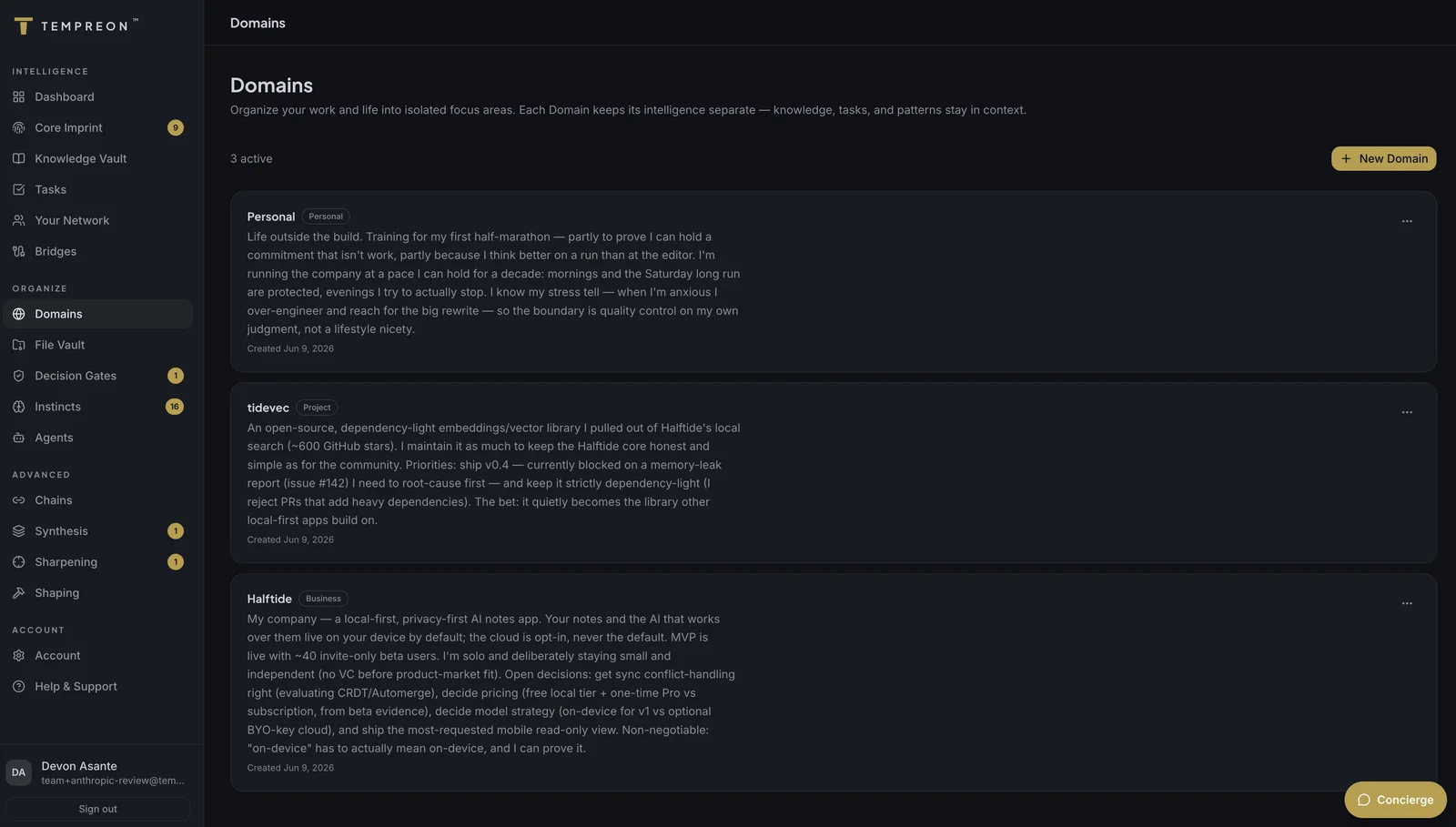
Domains organize your intelligence into isolated focus areas — keep your work, projects, and life contexts separate.
Available on Standard tier and above. Free tier includes 1 Domain.
What Are Domains?
Domains are isolated contexts within Tempreon. Each Domain represents a distinct area of your work or life — a project, a business, a client, a role, or even a personal focus area like health or family.
When your AI works within a Domain, it only sees the knowledge, preferences, and patterns relevant to that context. This prevents information from leaking across boundaries where it doesn't belong.
Why Domains Matter
Without Domains, your AI treats everything as one big context. That works when you have one focus area, but it breaks down quickly when you juggle multiple:
- A consultant working with competing clients doesn't want Client A's strategy visible when working for Client B
- A founder running a business and managing personal investments doesn't want business context bleeding into financial planning
- A leader managing multiple teams needs each team's context isolated but accessible
Domains solve this by creating clear boundaries.
Creating a Domain
From the Domains page in your dashboard:
- Click Create Domain
- Enter a name (e.g., "Acme Consulting Project")
- Add a description of what this Domain covers
- Choose a type:
- Project — A specific initiative or deliverable
- Personal Business — A business you own
- Employer — A W-2 job
- Client Engagement — Contract or consulting work
- Personal Domain — Non-work area (health, family, church, hobbies)
- Custom — Anything else
You can also set goals and priorities for each Domain to give your AI additional context about what matters in that space.
Managing Domains
From the Domains page, you can:
- Edit any Domain's name, description, type, goals, or priorities
- Archive Domains you're no longer actively using (archived Domains are hidden from the main view but data is preserved)
- View capacity — see how many active Domains you're using vs. your tier limit
Domain Limits
| Tier | Active Domains |
|---|---|
| Free | 1 |
| Standard | 5 |
| Premium | Unlimited |
| Enterprise | Unlimited |
Using Domains in Your AI Sessions
Domains are most powerful when you use them through your AI tools:
- "Start my session for the Acme consulting project" — Load Domain-specific context
- "What are my current goals for the marketing Domain?" — Pull up Domain details
- "Remember this for the product roadmap Domain: we decided to delay the mobile app to Q4" — Store Domain-scoped knowledge
- "Create a new Domain for my advisory role at StartupX" — Build a new context on the fly
Try Saying...
- "What are my active projects?" — List all your Domains
- "Switch context to the Acme project" — Shift your AI's focus
- "What do I know about the consulting engagement?" — Search within a specific Domain
- "Create a task in the marketing Domain to review the content calendar" — Domain-scoped task creation
Best Practices
One Domain per distinct context
If you'd keep separate notebooks for two things in real life, they should be separate Domains.
Don't over-segment
Three Domains is usually better than ten. Too many Domains means fragmented knowledge. Group related work under a single Domain.
Use goals and priorities
These aren't just descriptions — your AI references them when making decisions and recommendations within that Domain.
Use Case: Juggling Clients Without Mixing Contexts
Priya is a management consultant with three active clients — a fintech startup, a healthcare enterprise, and a retail chain. Each has distinct priorities, stakeholders, and competitive dynamics. She creates a Domain for each client with their specific goals and constraints.
When she tells her AI "Draft a strategy recommendation for the fintech client," her AI draws from fintech-Domain knowledge — their product roadmap, market position, and previous recommendations. The healthcare and retail contexts stay invisible. When she switches: "Let's work on the healthcare engagement," the entire context shifts. No accidental cross-contamination of strategies or competitive intelligence.