Account Settings
Manage your account, security, learning preferences, and data controls.
Accessing Settings
Click Account in your dashboard sidebar. The page is organized into several sections.
Account Information
Your basic account details:
- Email — The email address associated with your account
- Name — Your display name (set during signup)
- Forge Journey — Your current learning phase
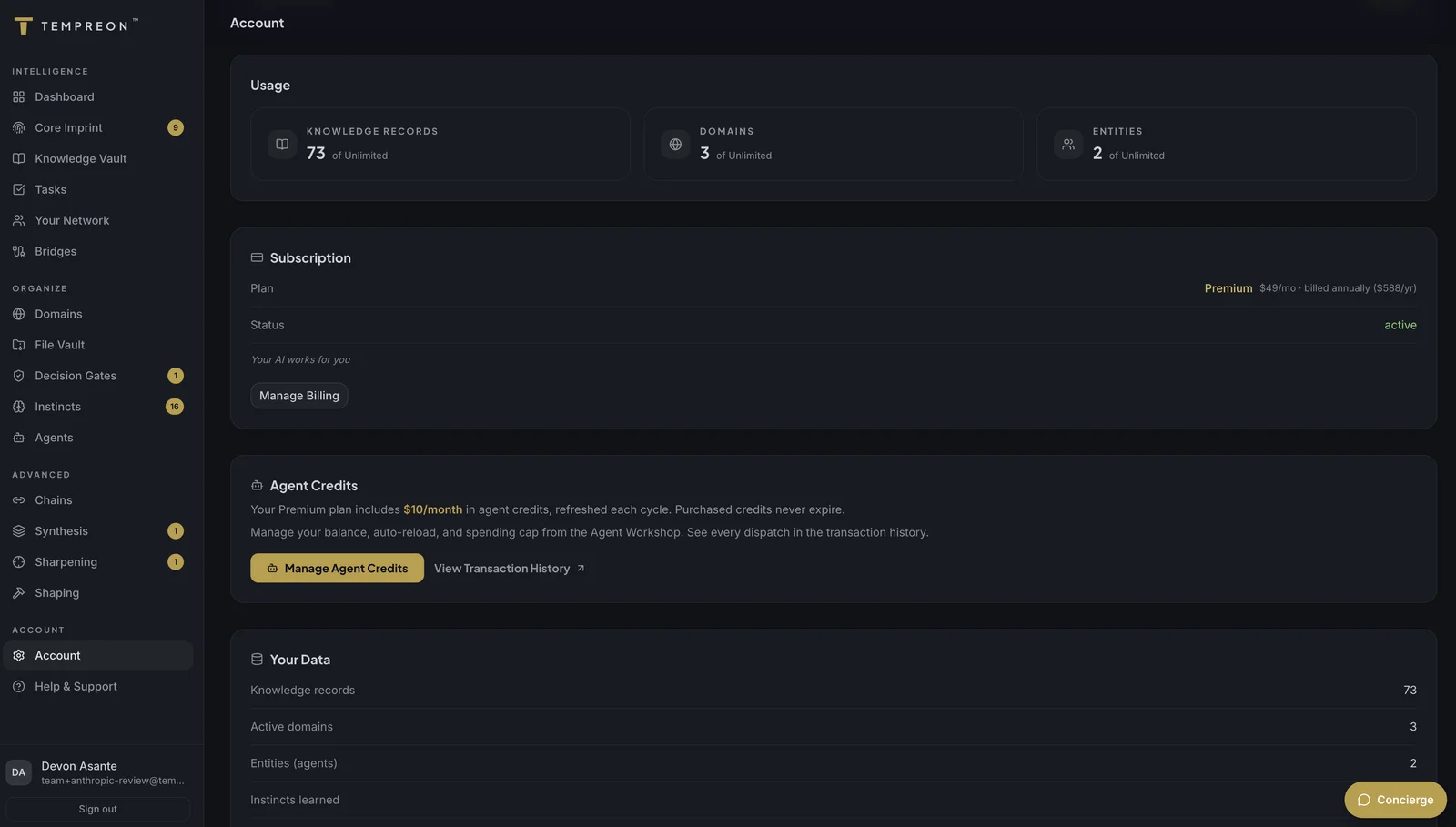
Subscription
Your current subscription details:
- Plan — Which tier you're on (with tagline)
- Status — Active, Past Due, or None
- Price — Current billing rate and period
From here you can:
- Upgrade — If you're on the free plan, the Upgrade button takes you to the pricing page
- Manage Subscription — If you're a paid subscriber, this opens the Stripe Customer Portal where you can update payment methods, change plans, or cancel
Data Usage
A snapshot of your intelligence layer:
- Knowledge Records — Total stored in your Knowledge Vault
- Files Stored — Total in your File Vault
- Sessions — Total sessions through your Bridges
Learning Controls
Tempreon gives you granular control over what the learning system captures. You can toggle each learning consent category individually:
- Enable or disable data collection by category
- Changes take effect immediately
- Disabling a category stops new learning in that area but doesn't delete existing Instincts
Why this matters: Tempreon is built on the principle that your intelligence is yours to control. If you're not comfortable with the learning system capturing certain patterns, turn that category off. You can always turn it back on later.
Security & Privacy
Key security details for your account:
- Authentication — Shows your current auth method (Email + Magic Link)
- Data Isolation — Your data is isolated using row-level security; no other user can access it
- Encryption — All data is encrypted in transit and at rest
- No Model Training — Your data is never used to train AI models
Data Export
Click Request Your Data Export to request a ZIP file with your information as readable files (plus JSON) and your File Vault files. We prepare it in the background and email you a link within 24 hours; after you sign in, you download it from your export page. For your security, the file is deleted 48 hours after it's ready. It includes:
- Core Imprint sections
- Knowledge records
- Instincts and learning data
- Network contacts
- Tasks, Files, and your work log
The export is available on every plan, with no waiting period. More details in Data Export.
Try Saying...
- "What tier am I on?" — Quick subscription check
- "How many knowledge records do I have?" — Data usage query
- "Export all my data" — Trigger the export from conversation